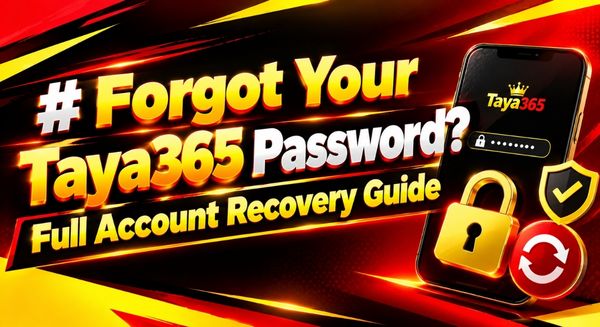
Forgot Your Taya365 Password? Full Account Recovery Guide
Blanked on your password again? Happens to everyone eventually. Maybe you haven’t opened the Taya365 app in a few weeks, or you changed it recently and your brain just… didn’t save the update. Either way, you’re staring at the login screen with no way in, and that’s a frustrating spot to be stuck in. Good news: getting back into your account takes a few minutes, not a few days. Here’s exactly how to do it.
Start With “Forgot Password”
Open the Taya365 app or head to the Taya365 login page on your browser. Right under the password field, you’ll spot a “Forgot Password” link — tap it. From there, you’ll need to confirm which account you’re trying to recover, usually by entering your registered email address or phone number.
Type it carefully. A typo here sends your reset code nowhere, and you’ll just end up waiting on a message that never shows up.
Grab Your Reset Code
Once you submit your email or number, Taya 365 fires off a verification code within a minute or two. Check your inbox first — and don’t forget to peek at spam or promotions folders, since security emails land there more often than they should. If you went the phone route, the code shows up as a text message instead.
Codes usually expire fast, somewhere around ten to fifteen minutes, so don’t let it sit. Enter it as soon as it lands.
Set a New Password
After the code checks out, you’ll land on a screen to create a new password. This is the part people rush through, and it’s worth slowing down for. Skip anything close to your old password — plenty of platforms flag near-matches and won’t let you reuse them anyway. Go for something with a mix of letters, numbers, and at least one symbol, and steer clear of anything obvious like your birthday or your name.
Once it’s set, write it down somewhere real — a password manager, a notes app you actually use, anything but relying on memory again. That’s usually how people end up back here a month from now.
Didn’t Get a Code? Try This
No email, no text, nothing showing up? A few things could be going on. First, double-check you typed your email or phone number right during the request — one wrong digit and the code goes into the void. Second, look at whether the email or number on file is actually current. People switch phones and forget to update their Taya365 account details all the time.
If everything checks out and you’re still waiting, request a new code instead of sitting on the old request. Sometimes the first one just doesn’t land, and asking again fixes it outright.
Still Locked Out? Contact Support
Tried the reset and it’s just not going through? That’s the point to reach out to Taya365 support directly, through live chat or email. Have your registered phone number or email ready before you message them, since that’s the first thing they’ll need to pull up your account. Support can check things a password reset can’t fix on its own — a locked account, a flagged transaction, anything on their end that’s blocking access.
Keep This From Happening Again
A few habits go a long way here. Use a password manager instead of trying to remember everything in your head — that alone solves most of this. Turn on two-factor authentication if the Taya365 app offers it, since that adds a layer of protection even if your password does slip your mind later. And update your recovery email or phone number the moment either one changes, so a reset code always has somewhere real to land.
Quick Recap
- Tap “Forgot Password” on the Taya365 login screen.
- Confirm your account with your registered email or phone number.
- Grab the verification code — check spam folders if it’s not showing up.
- Set a fresh password, different from your old ones.
- Save the new password somewhere you’ll actually find it.
- Request a new code if the first one never arrives.
- Contact Taya365 support if none of this gets you back in.
Bottom Line
A forgotten password isn’t a lost account — it’s a five-minute fix most of the time. Work through the reset process, keep an eye on your inbox, and you’ll be back in the Taya365 app before you know it. And once you’re in, take the two extra minutes to save that new password properly. Future you will be glad you did.